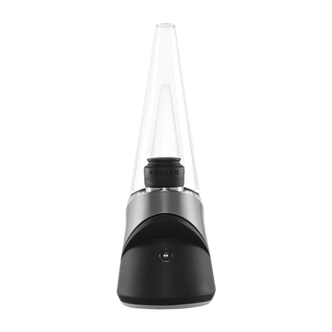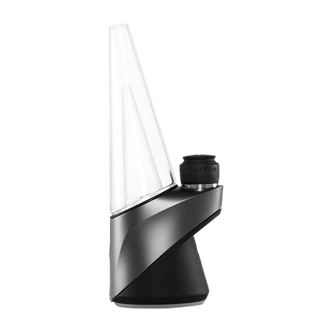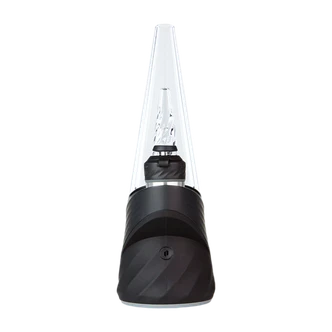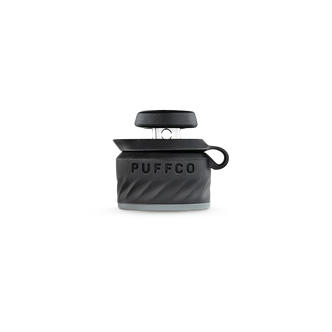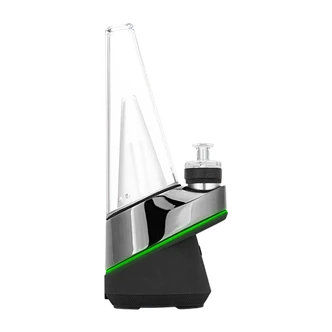


Product Overview
Peak Pro Link connects your Peak Pro to the glass rig you already love—so you can skip torches, timers, and “is it hot yet?” guesswork. It routes Peak Pro’s real-time temperature control through a banger-style setup, letting you dial in heat settings for bold flavor and satisfying clouds with the click of a button. Compatible with Peak Pro 3D and 3DXL Chambers (Peak Pro and chambers sold separately), it’s a simple way to refresh your setup without replacing your favorite piece.
Product Links
- Puffco 3D Chamber
- Peak Pro 3DXL Chamber
- Puffco Peak
- New Puffco Peak Pro
- Puffco Vaporizers and Accessories
Puffco Peak Pro Link Includes
- Peak Pro Link
- Base Stand
- O-Rings (2)
- 10mm + 14mm Joint Adapters
- 30" Cable + Cable Clip
How to Use (Quick Setup)
- Pair your Peak Pro to the app and update firmware (Link requires version “AW” or newer).
- Remove the glass from your Peak Pro and press the Link stand into the base.
- Attach your 3D or 3DXL Chamber to the banger.
- Insert the Link connector into the Peak Pro base and twist clockwise until secure.
- Choose the 10mm or 14mm adapter and fit it to your rig.
- Select your heat setting, start a heat cycle, then take your hit through your glass.
Cleaning & Care
- Chamber: Swab after each dab; deep clean with 90%+ ISO and let fully air-dry before heating.
- Link parts: Let everything cool. Clean the metal elbow, silicone joints, and stand with 90%+ ISO (soak elbow/joints 20–30 min if needed). Swab contact points with ISO. Do not soak the entire Link in ISO.
- Connection error (red/white flashing): Update firmware and clean the connection pins.
Peak Pro and 3DXL Chamber not included.
Compatible with Peak Pro 3D + 3DXL Chambers.
Not for use with tobacco, nicotine-containing e-liquids, synthetic nicotine, or nicotine substitutes.
Reviews